You unwrap a shiny PSN gift card, open the PlayStation Store, type in the code, and boom: “This voucher can’t be redeemed in your region.”
Cue the sinking feeling. The card is real. The code is valid. And it’s still useless to you.
Here’s the good news: that error doesn’t mean the card is worthless. It just means it’s in the wrong place. And if it can’t work on your account, you can often turn it into something that does work for you, like crypto, PayPal or bank cash. Let’s break down why it happens, how to dodge it next time, and how to sell PSN gift card balances the smart way.
What Does the PSN Region Error Actually Mean?
Short answer: PlayStation gift cards only work on accounts in the same region as the card. Cross-region redemption is blocked at the account level.
PlayStation’s own support pages are blunt about it: voucher codes can only be redeemed in the same PlayStation Store region, the region of an account can’t be changed after it’s set up, and the region of each code is printed on the voucher.
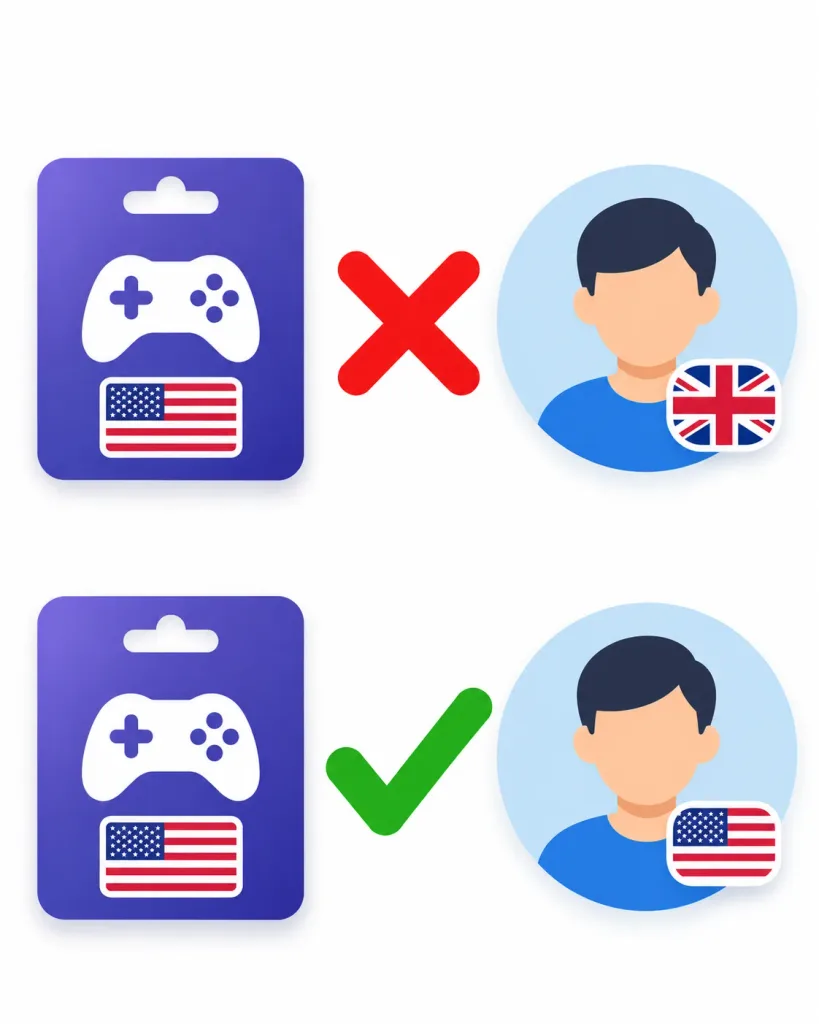
So a US card on a UK account? Blocked. A card from one country on an account registered in another? Blocked. No amount of re-typing the code will fix it.
Why Does a PlayStation Gift Card From Another Country Fail?
Three things collide to cause this error:
- Your account region is locked in. It was chosen when you first created your PlayStation account, and it doesn’t change later.
- Every card is issued for a specific region. The code is tied to that region’s store and currency.
- The store checks both before it lets the code through. If they don’t match, the redemption is refused.
Here’s how it plays out in real life:
| Your PSN account region | Card region | Result |
| United States | United States | Works |
| United Kingdom | United States | Region error |
| Any region | Different region | Region error |
| Any region | Same region | Works |
This usually happens when someone gets a gift card from a relative abroad, buys from a random online reseller, or picks the wrong country page when buying a digital code.
How to Avoid the PSN Region Error Next Time
A 60-second check saves you a lot of frustration:
- Check the card’s printed region before you buy, accept or redeem it.
- Check your own account’s country or region in your PlayStation account details.
- Compare the two. If they match, you’re good. If they don’t, stop right there.
- Buy from a seller who clearly states the region if you’re buying a digital code online.
- Ask the sender which region the card is for if it’s a gift from someone overseas.
Not a Region Problem? Other Reasons a PSN Code Fails
Before you blame the region, run through the usual suspects:
- The code is already redeemed. A code can only be used once, and your transaction history will show it.
- It’s a discount code, not a voucher. PlayStation vouchers have 12 digits. A 10-digit code is a discount code that only works at checkout.
- It was never activated. Some retail cards say “no value until activated at register.” If that’s the case, the retailer needs to confirm it was activated.
- The scratch-off isn’t fully revealed. Scratch gently with a coin and make sure every digit is visible.
- You’re signed into the wrong account. Funds and content can’t be moved between accounts, so double-check which one you’re on.
Stuck With a Wrong-Region Card? Your Options
| Option | When it works | The catch |
| Use it on a matching-region account | You genuinely have an account in that card’s region | Most people don’t |
| Ask the seller for a refund or exchange | You bought it recently from a retailer | Can be slow, and not always possible |
| Sell it | The card is unredeemed and its region is supported | Check the rate and region before you submit |
That last option is where Exchangerland comes in.
How to Sell PSN Gift Card Balances on Exchangerland (5 Simple Steps)
If you want to sell PSN gift card value instead of letting it sit unused, here’s the flow:
| Step | What you do |
| 1. Sign in | Create your free account or log in at Exchangerland |
| 2. Pick your card | Choose PlayStation Gift Card, enter the amount and select your currency |
| 3. Check the region | Make sure your card’s region is listed in the converter |
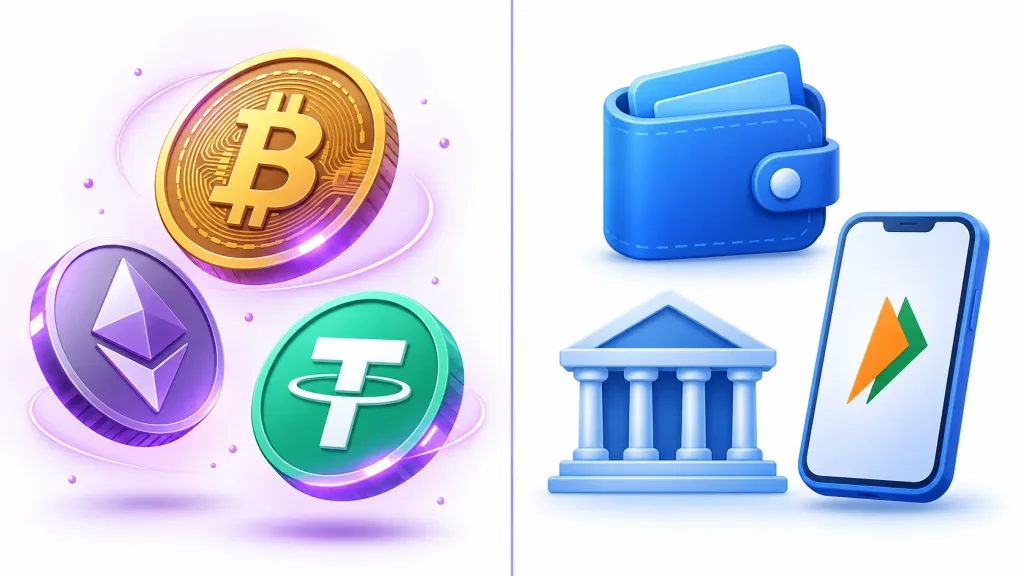
| 4. Choose your payout | Pick crypto (BTC, ETH, USDT and more), PayPal, bank transfer or UPI |
| 5. Submit and get paid | Enter the code or upload a clear photo, and once it’s verified your payout is sent |
Payouts usually land within minutes after verification. You can see the live rate in the converter before you confirm anything, so there are no surprises.
Exchangerland at a Glance
Who it’s for: Anyone holding an unredeemed PSN card that doesn’t fit their account, or that they simply won’t use.
- Flexible payouts: crypto wallet, PayPal, bank transfer or UPI
- Live rates: see your quote before you confirm
- Crypto options: Bitcoin, Ethereum, USDT, USDC, Litecoin and Dogecoin
- Support: chat, WhatsApp and email
- Many brands: PlayStation, Xbox, Steam, Apple, Roblox and more
Cash or Crypto: Which Payout Should You Pick?
Both work, so it depends on what you want to do next.
- Want crypto? You can sell gift cards for crypto and take Bitcoin for growth, or a stablecoin like USDT or USDC if you’d rather avoid price swings.
- Want a straight cash route? Choose PayPal, bank transfer or UPI.
- Curious how it works? Our guide on how to exchange gift card for crypto online safely walks through the whole process: Sell Gift Cards for Crypto: The Complete Guide.
If you pick crypto, double-check the wallet address and network before you confirm. A wrong network can mean lost funds.
5 Mistakes to Avoid With a Wrong-Region PSN Card
- Hammering the “Redeem” button. Repeating the same code won’t change the region.
- Trying region workarounds. VPNs or fake accounts can break PlayStation’s terms and risk your account. Not worth it.
- Picking the wrong region in the converter. Always match the exact region printed on the card.
- Sharing the code with random “buyers” in DMs. Never share a code with someone who contacts you out of the blue. Our guide on how to spot a scam before you sell a gift card explains the red flags.
- Selling a card that isn’t yours. Only sell cards you bought or received yourself.
Got Other Cards Collecting Dust?
Be honest: the PSN card probably isn’t the only forgotten balance hiding in your inbox. Between birthday presents, holiday gifts and promo rewards, most of us are sitting on a small pile of unused credit. If you’ve ever wondered where to sell Amazon gift card balances, you can do it on the Exchangerland Amazon gift card page, and the process is just as simple as selling your PlayStation card.
Exchangerland covers much more than Amazon and PlayStation:
- Gaming cards: Xbox, Steam, Roblox, Razer Gold and GameStop cards for when your wishlist is full or you’ve switched platforms.
- App store credit: Apple, iTunes and Google Play balances that only work inside one ecosystem.
- Retail and shopping cards: Walmart, Target and eBay credit you’d rather have as cash.
- Prepaid and payment cards: Visa, Mastercard, Paysafecard and Skrill balances you want to turn into something more flexible.
- Entertainment: Netflix cards for subscriptions you’ve already cancelled.
Not sure a card qualifies? Run through our eligibility checklist for instant exchange first. As a rule of thumb, the card should be unredeemed, belong to you, and match a region and amount listed in the converter.
So grab your inbox, round up every card you won’t use, and turn that scattered credit into crypto or cash in one sitting.
Don’t Let a Region Error Waste Your PlayStation Credit
A wrong-region card feels like a dead end, but it’s really just a card that needs a new home. Check your quote, choose your payout and turn that locked-up balance into something you can actually use.
Sell your PlayStation gift card on Exchangerland and get paid in minutes.
FAQs
Why does my PSN gift card say it can’t be redeemed in my region?
Because the card’s region doesn’t match your PlayStation account’s region. PlayStation only lets codes be redeemed in the same store region.
Can I change my PSN account region to use the card? |
No. PlayStation states that the region is set when the account is created and can’t be changed.
Where do I find the region of my PSN gift card?
It’s printed on the voucher. For digital codes, check the product details from the seller.
Can I sell a PSN card that gave me a region error?
If the card is unredeemed and its region is supported in the converter, you can submit it for a quote. Check the converter first.
Is it safe to sell a PSN gift card online?
It can be, if you use a platform that shows the rate upfront and verifies cards. Never share your code with someone who contacts you first.
How fast will I get paid?
Once your card is verified, payouts usually arrive within minutes. Timing can vary by payout method and network conditions.
Can I swap a PSN card for a different region?
No. PSN gift cards can’t be swapped or converted to another region, so your best options are to use the card on a matching-region account, ask the original retailer for an exchange, or sell it online instead.
Why is my PSN gift card not working even though the region matches?
entered incorrectly, or not activated by the retailer. Temporary PlayStation Network issues can also cause redemption errors. Try redeeming it through the PlayStation website or app, and contact PlayStation Support if the problem continues.
What does “The prepaid card could not be redeemed” mean on PS5?
This error doesn’t always mean your gift card is invalid. It can appear when there’s an issue with the code, its activation, regional compatibility or the redemption process. Check your account region, confirm the card was activated and try redeeming it through another official PlayStation method.
What happens if I redeem a PSN gift card on the wrong account?
If your voucher has already been successfully redeemed on another PlayStation account, the funds cannot be transferred to your preferred account. Check the transaction history to confirm where the code was used. Always verify which account you’re signed into before redeeming a gift card.